Kaia network
DCENT mobile app's in-app browser injects window.klaytn & window.caver as providers. If your dapp is based on the Kaia network (formerly Klaytn), you can interact with DCENT wallet through window.klaytn & window.caver providers.
If your dapp is already integrated with Kaikas
DCENT wallet's provider uses the same provider interface with Kaikas. It means if your dapp is already integrated with Kaikas, it's very easy to integrate with DCENT wallet. For your reference, you can also find the Kaikas' developer guide in the below link.
- Kaikas Developer Guide : https://docs.kaikas.io/
How to detect in-app browser
In order to check if your dapp running on Kaia is supported by the dapp-browser, you need to check whether window.klaytn is defined.
if (typeof window.klaytn !== 'undefined') {
    console.log("It's in-app browser");
}
How to check DCENT provider
You can check whether the dapp browser is DCENT wallet's in-app browser with the following code.
if (window.klaytn.isDcentWallet === true) {
    console.log("It's DCENT wallet's in-app browser")
}
Connect to Wallet
You can use the following code in order to connect to DCENT wallet's account.
klaytn.enable()
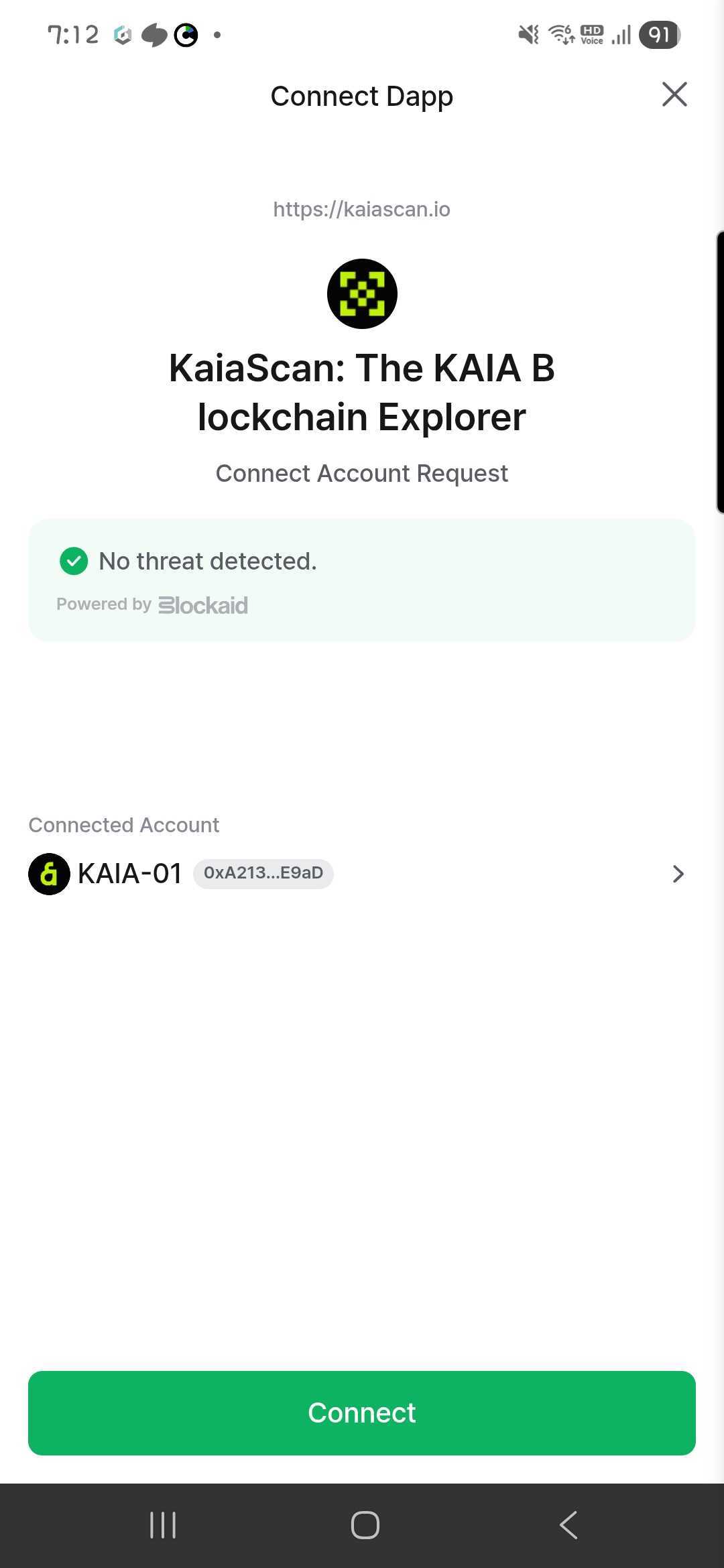
Wallet Connection UI
If the connection to wallet is requested, you can see the popup like below.
Get the current network
To get the current network ID, you can use the following code.
klaytn.networkVersion
By checking the network ID, you can know which network is currently connected to.
| Network ID | Network Name |
|---|---|
| 8217 | Kaia Mainnet |
| 1001 | Kaia Kairos |
Get the current account's address
To get the address of the current account, you can use the following code.
klaytn.selectedAddress
Send Transaction
By using ethereum.sendAsync method to call klay_sendTransaction, you can send the transaction. The following is the example code to show how to send the transaction. (This example is copied from Kaikas docs)
const transactionParameters = {
  gas: '0x2710',
  to: '0x0000000000000000000000000000000000000000',
  from: klaytn.selectedAddress,
  value: '0xff'
}

klaytn.sendAsync(
  {
    method: 'klay_sendTransaction',
    params: [transactionParameters],
    from: klaytn.selectedAddress
  },
  callback
)
You can also see more examples on the Kaikas Developer Guide.